
# Cryptograph generation parameters
You can set the cryptograph generation parameters using the pipeline field in the request.
Parameters:
| Parameter | Type | Description | Required | Value range |
|---|---|---|---|---|
| blockRows | int | Desired number of rows in the symbol. Must be even number between 2 and 254. 1 is also allowed, but only if the number of columns is one of the following values: 4, 8, 12, or 16. 0 is also allowed, which means the library can automatically select a value. If 0 is used, it will be overwritten with the value actually used. | no | [0, 254] |
| blockCols | int | Desired number of columns in the symbol. Must be even number between 2 and 254. 1 is also allowed, but only if the number of rows is one of the following values: 4, 8, 12, or 16. 0 is also allowed, which means the library can automatically select a value. If 0 is used, it will be overwritten with the value actually used. | no | [0, 254] |
| errorCorrection | int | This is the amount of error correction. This must be an even number between 4 and 16. This number is how many bytes are reserved for error correction in each group of 48 bytes. The actual number of corrections possible is half of this number. (Reed Solomon uses one byte to locate an error, and another byte to know how to correct the error). 0 is also allowed, which means the library can automatically select a value. | no | [4, 16] or 0 |
| gridSize | int | This is the number of pixels between adjacent parallel lines or dots. The value must be a number between 3 and 32. Note that 0 is not allowed – there is no default setting. | no | [3, 32] |
| thickness | int | This number embeds both the style and size. A positive number indicates that lines should be used, and the number is the line thickness in pixels from 1 (thinnest line) to 8 (thickest line). A negative number indicates that dots should be used, and the number is a relative size from -1 (smallest dot) to -8 (largest dot). Note that 0 is not allowed – there is no default setting | no | [-8, -1] or[1, 8] |
| includeCompactRepresentation | bool | Include compact representation | no | |
| expirationdate | datetime (ISO 8601) | Cryptograph expiration date. Decoder won't decode a cryptograph if it's expired. If the parameter is not specified, a cryptograph will never expire. | no | Any date in the future |
| title | json object | You can add a title to your image with a cryptograph | no | see below |
| encodeuid | string | Unique Id | no | Any unique id |
| enforceSignature | bool | Indicates if cryptographs should be digitally signed in case the system signature default behavior is not to sign. Defaults to false | no | true or false |
# title object in cryptographGenerationParameters:
# title Limitations:
- only latin symbols and numbers are allowed
- single line only
- max title length - 25 symbols
- text size is 1/2 of resulting cryptograph block size
- width restrictions (must not be wider than the cryptograph)
| Property | Type | Description | Required | Default value | Range |
|---|---|---|---|---|---|
| text | string | text to draw | yes | see limitations |
◽ Notice: The "title" is a json object.
◽ Notice: The "title" object is optional. If the object is not specified a title will not be drawn. ◽ Notice: The "title", once informed, is always displayed at the top of the image and centered.
# Sample cryptograph generation parameters:
{
  "cryptographGenerationParameters":
  {
    "blockCols": 4,
    "blockRows": 4,
    "errorCorrection": 10,
    "gridSize": 6,
    "thickness": 2,
    "expirationdate": "2030-01-01T00:00:00Z",
    "includeCompactRepresentation": true,
    "title":
    {
       "text": "title_text"
    }
  }
}
1
2
3
4
5
6
7
8
9
10
11
12
13
14
15
16
2
3
4
5
6
7
8
9
10
11
12
13
14
15
16
◽ Notice: "cryptographGenerationParameters" is a json object.
◽ Notice: whole object "cryptographGenerationParameters" can be missed as well.
◽ Notice: each field is optional.
◽ Notice: if one of parameter is not specified use the value from config.
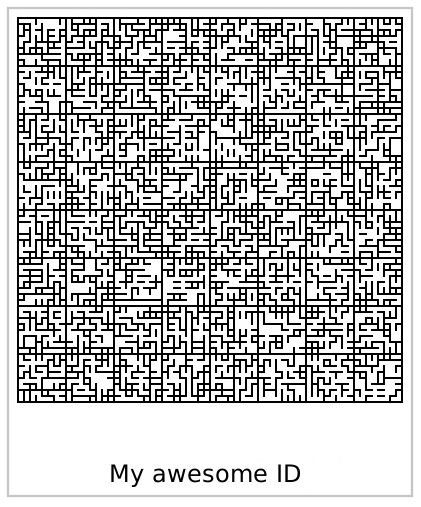
# Example of the cryptograph with a title:
# Convert cryptograph compact representation to image
Method convert data compact to image
POST /v1/cryptograph/convert
1
"{{compact}}"
1
Method returns:
- image: json with image base 64
# Decode data compact cryptograph
Method decode compact cryptograph
POST /v1/cryptograph/decodeCompact
1
{
  "cryptograph": "{{compact}}"
}
1
2
3
2
3
Method returns:
- image: json with image base64