
# Cryptograph Calculator
You can encrypt each field in the cryptograph for additional security. T5-IDencode supports asymmetric algorithm (RSA) and HSM with asymmetric or symmetric algorithms (RSA or AES). For encryption with minimum overhead you also can use PGP. Show More
Digital signature adds integrity and authenticity guarantees to the cryptograph information, namely, the data wasn't tampered and was issued by the stated entity.
Be aware that digital signature adds an overhead to the payload, which will be calculated below.
| Code item | Qty | Size (bytes) | PIN | Security overhead (bytes) | Total (bytes) * |
|---|---|---|---|---|---|
|
Cryptograph ID
This is an ID of your cryptograph. This is mandatory field with fixed size. | 0 | 20 | |||
|
Compressed face image
Decompressed pictures after smart compression:   An image compressed with smart compression algorithm to the minimum size. You can choose 5 level of compression – from 800 to 1200 bytes. Encrypted image can be decoded with T5-IDencode Toolkit and showed as preview on your digital ID. | 0 | 0 | |||
|
Face biometric template
A biometric template extracted with T5-IDencode Toolkit, which can be used for verification of an owner with his digital ID. Size is fixed – 136 bytes. | 0 | 0 | |||
|
Fingerprint biometric templates
A biometric template extracted with T5-IDencode Toolkit, which can be used for verification of an owner with his digital ID. Size is fixed – 184 bytes. | 0 | 0 | |||
|
Voice biometric template
A biometric template extracted with T5-IDencode Toolkit, which can be used for verification of an owner with his digital ID. Size is fixed – 234 bytes | 0 | 0 | |||
|
Demographic data
Any data which you want to add to your digital ID, like name, surname, etc. | 0 | 104 | |||
|
Digital signature
Digital certificate (binary data) | 0 | 0 | |||
|
Extra
Any additional data you want to add to your digital ID | 0 | 0 | |||
| Binary Blob | 0 | 0 | |||
| Total (bytes) | 0 | 0 | |||
| * 4 bytes are added to data volume per every field. | |||||
| Name | Value |
|---|---|
| Grid blocks X (columns) | |
| Grid blocks Y (rows) | |
|
Grid Size
This is the number of pixels between adjacent parallel lines or dots.
The value must be a number between 3 and 32.
Note that 0 is not allowed – there is no default setting.
| |
|
Thickness
Thikness of lines or dots in your cryptograph. 1 - the thinnest, 8 - the thicknest
| |
|
Style
Line style example: 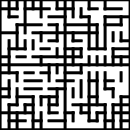 | |
|
Error correction (percents)
Recommended > 17% for printed or smooth surface to allow flash, for electronic
display anything > 0 is ok
| |
|
Expiration Date
Cryptograph expiration date. The decoder won't decode a cryptograph if it's expired. If the parameter is
not specified, a cryptograph will be perpetual.
Expiration date occupies 5 bytes. | |
| Cryptograph capacity
Available bytes for payload (Data + Free Capacity)
| 0 bytes |
| Name | Value | ||
|---|---|---|---|
| Text | |||
| Position (Fixed) | |||
| Alignment (Fixed) | |||
| Optional * | |||